Copyright, Permissions & Safe Video Clipping Checklist
Clear guidelines for clipping your own channels, client work, podcast interviews, and Creative Commons footage responsibly.
Amina Farooq · Digital Media Rights Advisor
Why Rights Confirmation Comes Before Every Edit
Modern browser editors make slicing a long video effortless, which also means creators must stay mindful of copyright boundaries before publishing clips. Platforms run automated audio and visual fingerprinting alongside formal DMCA takedown procedures.
ShortSlice runs strictly inside your browser as an independent utility for footage you personally created, licensed from clients under contract, or hold clear written authorization to split and distribute.
Treating rights verification as a non-negotiable step protects your publishing accounts from automated mutes, revenue sharing redirects, or sudden channel strikes that undermine months of steady audience building.
Myths About Duration Thresholds and Fair Use
A widespread misconception claims that cutting any clip under 30 seconds automatically makes reposting legal. Duration alone does not create Fair Use—copyright evaluations weigh transformative purpose, commentary, portion taken, and market effect case by case.
When collaborating with guest creators, simply asking written permission via email takes two minutes and builds lasting creative partnerships.
Remember also that laws differ internationally: what qualifies under narrow U.S. Fair Use review may face stricter "fair dealing" rules across Europe, the UK, and parts of Asia.
Writing Clear Guest Clipping Clauses for Interviews
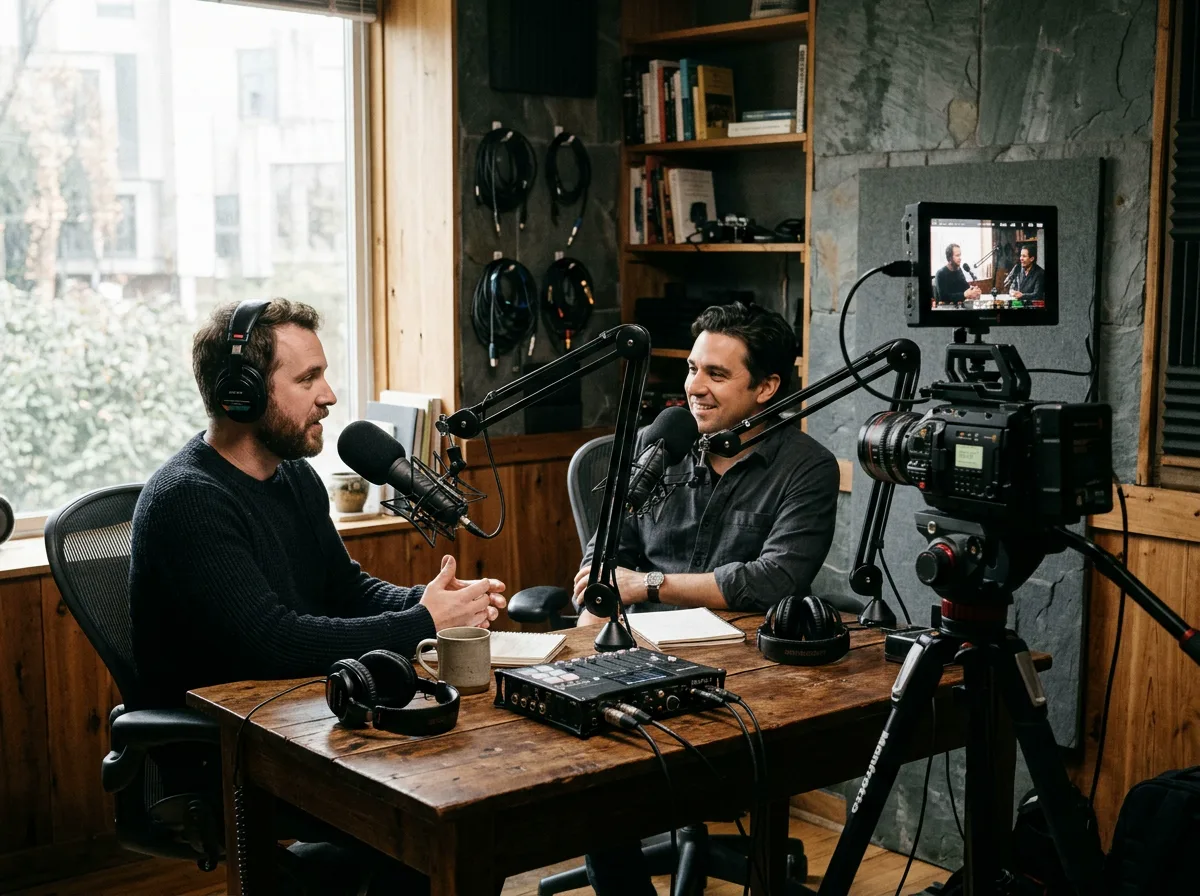
Whenever recording two-person interviews, webinars, or client case studies, confirm upfront in writing that both the host and guest may slice short vertical promotional segments up to 150 seconds with clear speaker attribution.
Agreeing on clipping etiquette before pressing record avoids awkward misunderstandings later and doubles organic reach because both parties share clips confidently to their respective followers.
Checking Embedded Background Music Before Reposting
Even when you filmed every frame yourself, confirm whether your royalty-free music license covers multi-platform short vertical feeds in addition to desktop uploads. Keeping spoken voice on clean stems lets every clip travel safely across channels without automated mute notices.
When working on commercial client edits, always archive the license PDF right alongside exported MP4 folders so Content ID disputes can be cleared inside five minutes if triggered automatically.
Archiving Written Releases, Credits, and License Receipts
Good creative teams treat permissions like source code: clean documentation saves far more time than reacting to takedowns months later. Whenever clipping Creative Commons CC-BY lectures or open-source conference talks, copy the exact creator attribution URL, license version (such as CC BY 4.0), and publication date directly into your video caption template.
For agency and freelance workflows, store signed guest release forms, stock music receipts, and raw camera originals in a single dated archive directory alongside your ShortSlice MP4 exports. If a social network requests proof of commercial rights during a viral spike, retrieving that one PDF in thirty seconds keeps monetization and distribution uninterrupted.
How to Respond Responsibly If an Automated Match Flags Your Clip
Automated copyright matching tools occasionally flag legitimately licensed tracks or co-owned podcast clips by mistake, especially when two co-hosts publish snippets from the same interview on separate channels. Avoid panicking or deleting well-performing posts before reading the claim details carefully.
Verify whether the claimant matches your actual music distributor or guest partner, attach your license receipt or written guest release through the platform dispute form politely, and review your local source file before cutting future batches. Keeping rights clear upfront ensures your creative pipeline grows cleanly without unexpected strikes.
Equally important for agencies and educational brands is training every contributor on asset hygiene: never drag unverified fan-reposted clips, broadcast sports highlights, or trending commercial chart music into business client edits assuming short lengths shield your page. Building every vertical series from authorized recordings, verified royalty-free libraries, and explicitly cleared guest panels guarantees every viral highlight you split in ShortSlice stays live, monetizable, and trouble-free long after upload.
Finally, periodically audit older scheduled draft folders twice a year whenever contributor licenses expire or client retainers wrap up. Keeping only verified, evergreen-licensed source videos in active clipping libraries allows marketing teammates and solo editors to pull rapid seasonal highlights from ShortSlice confidently at any time of year without halting publication for emergency legal clearance.
Remember that ShortSlice explicitly asks creators to confirm ownership or proper permission before processing every local video file, reinforcing healthy publishing habits right inside the browser workflow without capturing user data or checking clips externally.
Documenting guest attributions accurately inside video captions also strengthens goodwill with collaborators, encouraging speakers to reshare your vertical exports organically to their own newsletters and community feeds while keeping shared branding, sponsor mentions, and project release records transparent for every participant involved.
- Record guest permission dates clearly inside episode notes before exporting.
- Keep royalty-free music invoice IDs stored next to project MP4 folders.
- Respect copyright owners promptly whenever an accidental overlap occurs.
- Avoid dropping unlicensed background songs underneath otherwise original spoken clips.
- Verify whether client contracts permit agency portfolio clips before posting vertically.
- Retain time-stamped written approval emails inside your master episode archive folder.
About the Author
Amina Farooq — Digital Media Rights Advisor
Amina advises digital publishers and podcast producers on licensing workflows, release forms, and DMCA best practices.
Free Private Video Clipper — Zero Uploads, Zero Watermarks
Skip slow cloud uploads and privacy risks. Cut your confidential drafts, personal clips, and client footage inside your own browser tab with clean watermark-free MP4 exports.