How to Repurpose Long Videos into High-Retention Shorts
Turn 40-minute recordings, webinars, and vlogs into standalone 9:16 vertical MP4 clips without server uploads.
Nadia Al-Mansoor · Lead Video Workflow Strategist
Why Repurposing Beats Filming Vertical Content From Scratch
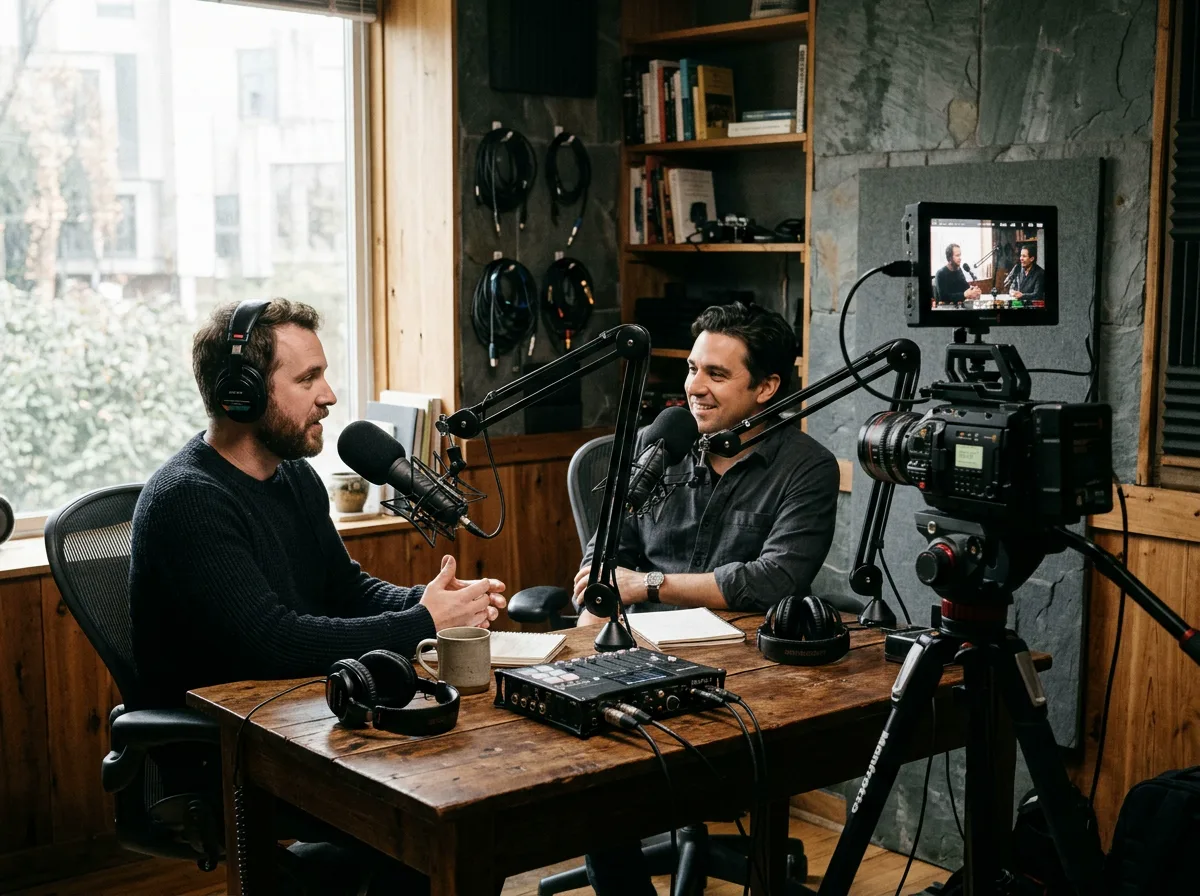
Most creators hit burnout because they treat widescreen flagship recordings and short-form vertical feeds as two unrelated production pipelines. Recording a forty-minute workshop, podcast, or studio tutorial already requires lighting checks, microphone leveling, scripting, and clean camera delivery. Treating that entire shoot as a single-use asset leaves ninety percent of its potential reach untouched inside a desktop folder.
When you split a long local video file into targeted vertical clips, you are not scraping leftovers together. Instead, you isolate individual insights so each idea can earn organic discovery on its own merit. Short-form feeds evaluate every upload independently based on early hold rate, completion percentage, and viewer replays. A single sharp thirty-five-second explanation recorded at minute twenty-eight often outperforms the full broadcast when trimmed cleanly.
The practical mental shift is moving away from summarizing the whole episode and toward delivering one unmistakable micro-payoff per clip. A viewer scrolling vertically does not see your original presentation deck or the preceding twenty minutes of context. Each cut you export must stand alone with an immediate opening hook, a concrete middle explanation or physical demonstration, and a clean finishing sentence.
Step 1: Audit Your Recording for Natural Narrative Peaks
Before touching duration sliders or cropping presets, scrub through your source video file with speakers or headphones on and notice where vocal energy changes. Three reliable structural signals almost always mark winning short segments: direct answers to specific reader questions, surprising counter-intuitive claims, and live screen or camera demonstrations where movement matches spoken steps.
Long conversations and multi-topic lessons naturally divide into standalone blocks. Whenever a speaker says "the mistake almost everyone makes here is" or "if you only change one setting this week, make it this," note that exact timestamp. Conversely, avoid starting an exported clip with conversational glue such as "as we saw twenty minutes ago" or "moving to slide four." Those transitional fillers immediately signal to a first-time viewer that they missed earlier context, prompting an instant swipe.
Keep visual composition in mind while picking timestamps. Segments where the primary subject sits near the horizontal center convert effortlessly to 9:16 vertical framing without slicing off shoulders, hands, or critical slides. If two guests sit far apart on opposite halves of a 16:9 frame, plan those clips as 1:1 square cuts instead so neither person disappears outside the margins.
- Target 20s to 59s blocks for crisp single-topic tutorials, Reels, and Shorts.
- Use 60s to 120s segments when multi-step stories or case studies need breathing room.
- Prefer clean pauses between sentences so cuts feel intentional rather than mid-syllable.
- Confirm you own copyright or hold written permission for every recording before publishing clips.
Step 2: Pick Clip Length, Aspect Ratio & Cutting Mode
Technical export settings shape retention long before algorithms distribute your video. When cutting an hour-long local recording just to review highlights or divide sequential parts quickly, Fast stream copy mode (-c copy) preserves original quality and generates clips almost instantaneously at the nearest keyframe.
When you are ready to convert widescreen 16:9 footage into native mobile 9:16 (1080×1920) vertical or 1:1 (1080×1080) square posts, switching to Precise mode re-encodes the video at exact second boundaries with standard H.264 pixels and synchronized 44.1 kHz AAC stereo audio. Eliminating giant horizontal letterbox bars dramatically boosts visual presence across every phone screen.
Think carefully about how many segments make sense for your viewer. In a crisp forty-minute workshop, selecting six focused highlights with strong vocal energy almost always beats blindly posting thirty unedited segments. Start by reviewing the sequential timeline in ShortSlice, previewing interesting time windows directly from zero seconds, and exporting only the standouts that carry clear standalone value.
Step 3: Eliminate Broken Codecs and Silent Mobile Exports
Nothing breaks publishing momentum faster than exporting clips that fail during upload or play back silently on phones. Screen capture apps occasionally wrap mismatched audio tracks or non-standard color spaces inside inconsistent containers that mobile gallery apps refuse to decode cleanly.
Exporting verified MP4 blobs built with yuv420p H.264 video, AAC stereo audio, faststart header placement, and a valid ftyp box eliminates almost every playback surprise across iOS, Android, and desktop editors. Previewing clips directly from 0:00 in your browser with sound turned up catches pacing or audio slips before you ever move files to your phone.
Pay equal attention to spoken openings and room ambience. If a microphone clipped slightly during laughter or a fan buzzed loudly under a soft intro sentence, catch it right inside the browser preview window so you never discover distracting background rumble only after uploading to a live audience.
Step 4: Measure Retention Winners to Guide Future Shoots
Treat every batch of split clips as direct audience research for your next long recording. Over three or four weekly cycles, compare thirty-second completion percentages across different topics exported from the exact same original video. Often a passing comment tucked deep inside an hour-long interview earns three times as many saves and shares as the headline section you originally planned around.
Feed those winning themes straight back into your flagship recording outlines. Within a month, you build a self-reinforcing loop: every long studio session produces a sequential set of sharp vertical clips privately in your browser, and those vertical insights sharpen your next flagship project.
Tentang Penulis
Nadia Al-Mansoor — Lead Video Workflow Strategist
Nadia has spent nine years designing multi-platform video publishing workflows for independent educators, podcast networks, and documentary teams.
Potong Video Jadi Shorts
Potong Video Jadi Shorts. Pemrosesan 100% lokal di browser dengan WORKERFS tanpa batas durasi.